
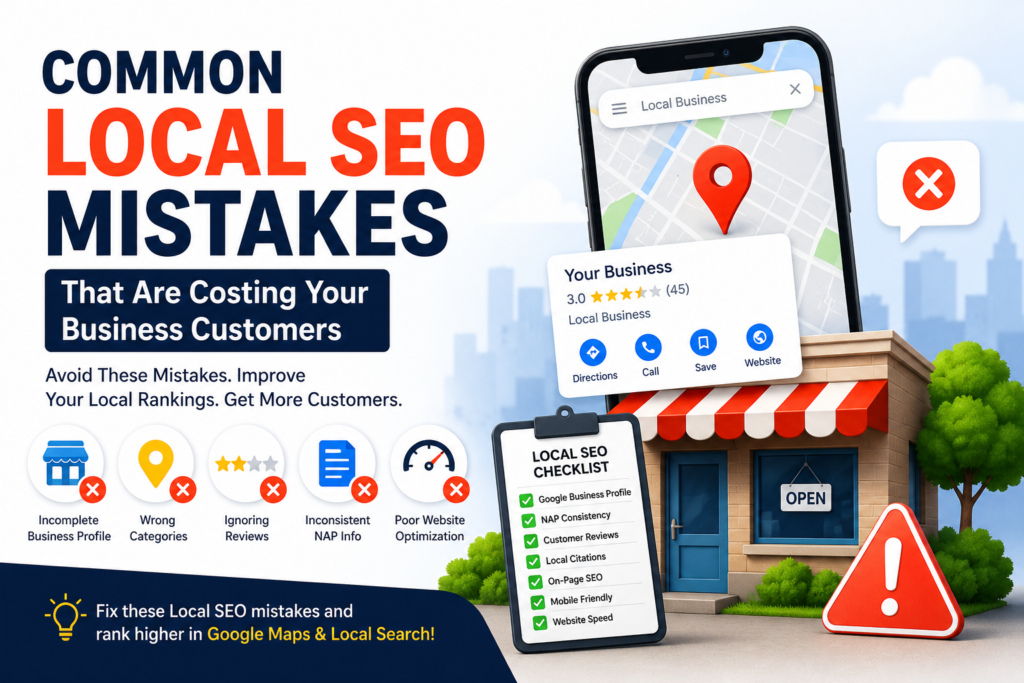
Common Local SEO Mistakes Small Businesses Make
Many businesses unknowingly make local SEO mistakes that prevent them from ranking in Google Maps and local search results. If you’re a small business owner, you’ve probably heard that Local SEO can help you attract more customers from Google Search and Google Maps. But simply having a website isn’t enough.
Many businesses unknowingly make local SEO mistakes that hurt their visibility, lower their rankings, and send potential customers to competitors instead.
The good news? Most local SEO errors are easy to fix once you know what to look for.
In this guide, we’ll cover the most common local ranking mistakes businesses make and show you exactly how to improve your local search performance.
What Is Local SEO?
Local SEO (Search Engine Optimization) is the process of improving your online presence so your business appears in local search results.
For example, when someone searches for:
- SEO company near me
- Website designer in Dhaka
- Digital marketing agency near me
- Local SEO services
Google uses several factors to determine which businesses appear in the search results.
These factors include:
- Google Business Profile
- Customer reviews
- Website optimization
- Local citations
- Business location
- Mobile usability
- Website speed
Learn more about local ranking factors from Google’s official documentation:
When these elements are optimized correctly, your business has a much better chance of appearing in Google’s Local Pack and Google Maps results.
Why Local SEO Matters for Small Businesses
These local SEO mistakes can reduce visibility and cost your business valuable customers. Local search has become one of the most powerful customer acquisition channels available.
People searching for local services usually have strong buying intent. They are actively looking for a solution and are often ready to contact a business immediately.
A strong local SEO strategy can help you:
- Increase website traffic
- Generate more phone calls
- Get more Google Maps visibility
- Improve local search rankings
- Attract qualified leads
- Build trust with potential customers
Unfortunately, many businesses make mistakes that prevent them from achieving these benefits.
Let’s look at the most common ones.
Mistake #1: Not Claiming Your Google Business Profile
One of the biggest local SEO mistakes is not claiming and verifying your Google Business Profile.
Without a verified profile, your business has very limited visibility in local search results.
Why This Hurts Rankings
Google relies heavily on Business Profile data when deciding which businesses appear in local searches.
An incomplete or unverified profile sends weak trust signals.
How to Fix It
Make sure you:
✓ Claim your listing
✓ Verify ownership
✓ Add your website
✓ Add your phone number
✓ Add business hours
✓ Upload business photos
✓ Select accurate business categories
A fully optimized profile is one of the strongest local ranking factors.
Mistake #2: Inconsistent NAP Information
NAP stands for:
- Name
- Address
- Phone Number
Many businesses accidentally use different versions of this information across the internet.
For example:
Website:
RankFlow Digital
Directory Listing:
Rank Flow Digital
Facebook:
RankFlowDigital
Although these differences seem minor, they can create confusion for search engines.
Why It Matters
Google uses consistency to verify business legitimacy.
When your business information varies across directories, it weakens trust signals.
How to Fix It
Audit your business information on:
- Website
- Google Business Profile
- Local directories
- Industry directories
Ensure every listing uses identical information.
Mistake #3: Choosing the Wrong Business Categories
Business categories help Google understand exactly what your company does.
Choosing incorrect categories is a surprisingly common local SEO error.
Example
If you’re primarily an SEO agency but choose:
“Marketing Consultant”
instead of
“Internet Marketing Service”
you may miss valuable search opportunities.
Best Practices
Choose:
- One primary category
- Relevant secondary categories
- Categories that match your core services
Avoid selecting categories that don’t accurately represent your business.
Mistake #4: Ignoring Customer Reviews
Reviews are one of the strongest local SEO ranking signals.
Businesses with more positive reviews often rank higher and attract more clicks.
Common Review Mistakes
Many businesses:
- Never ask customers for reviews
- Ignore negative feedback
- Fail to respond to reviews
All of these actions can hurt local visibility.
How to Fix It
Create a review generation process.
Ask satisfied customers to leave reviews on Google.
Respond to every review professionally.
This demonstrates credibility and improves customer trust.
Mistake #5: Not Fully Optimizing Your Google Business Profile
Claiming your profile is only the first step.
Many businesses stop there.
Missing Optimization Opportunities
A complete profile should include:
- Business description
- Services
- Products
- Photos
- Service areas
- Business attributes
- Posts and updates
Google wants to provide users with complete information.
The more complete your profile is, the stronger your local SEO signals become.
Mistake #6: Targeting Broad Keywords Instead of Local Keywords
Many businesses try to rank for broad keywords such as:
- SEO services
- Website design
- Digital marketing
These keywords are highly competitive.
Local businesses should focus on location-based searches instead.
Better Examples
Instead of:
SEO services
Try:
- SEO services in Dhaka
- Local SEO company in Bangladesh
- Digital marketing agency in Dhaka
These keywords are more targeted and usually convert better.
Mistake #7: Not Creating Location-Specific Pages
If you serve multiple cities or regions, location pages can significantly improve local visibility.
Example Pages
- SEO Services in Dhaka
- SEO Services in Chittagong
- Web Design Services in Sylhet
These pages help Google understand where your services are available.
Best Practices
Each page should contain:
- Unique content
- Local keywords
- Relevant customer information
- Service-specific details
Avoid creating duplicate pages with only the city name changed.
Google may view them as low-quality content.
Mistake #8: Ignoring Mobile Optimization
Most local searches happen on mobile devices.
People often search while:
- Traveling
- Shopping
- Looking for nearby services
If your website performs poorly on mobile, users will leave quickly.
Common Mobile SEO Problems
- Small text
- Slow loading speed
- Buttons too close together
- Poor navigation
How to Fix It
Use:
- Responsive design
- Mobile-friendly layouts
- Fast-loading pages
- Click-friendly buttons
Avoiding common local SEO mistakes is one of the fastest ways to improve local search rankings.. A better mobile experience often leads to better local rankings.