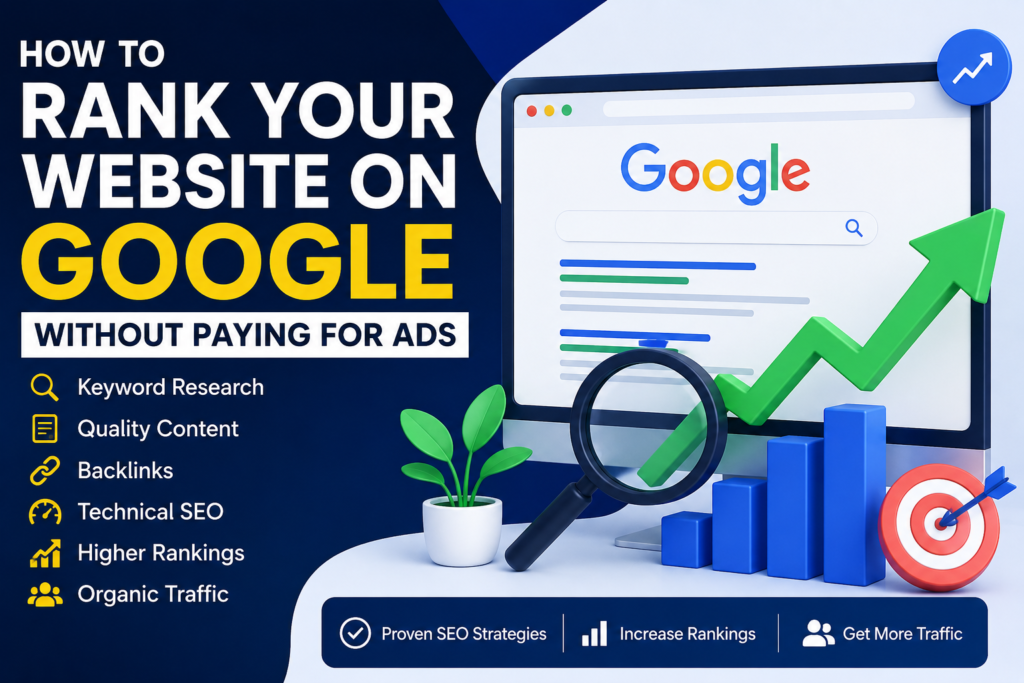
Rank your website on Google without paying for ads by creating helpful content, targeting the right keywords, improving your website experience, and building genuine authority in your industry.
Every business owner wants more website traffic, leads, and customers. Paid advertising can generate fast visibility, but it is not the only way to appear in Google Search. A carefully planned search engine optimization strategy can attract relevant visitors without charging you for every click.
SEO is not a trick that produces guaranteed rankings overnight. It is an ongoing process of making your website easier for search engines to understand and more useful for the people searching for your products, services, or information.
In this guide, you will learn how Google Search works, which factors can affect visibility, and the practical steps you can take to rank your website on Google organically.
Why Ranking on Google Matters
When people need a product, service, or answer, many of them begin with a search engine. They may search for phrases such as:
- Best digital marketing agency
- Professional website design services
- Local SEO expert near me
- Google Ads management service
- How to improve website traffic
Google then tries to present pages that are relevant, accessible, useful, and trustworthy. Appearing prominently for the right searches can introduce your business to people who already have an interest in what you offer.
Benefits of Organic Google Visibility
Consistent Website Traffic
Organic visitors do not require you to pay for every individual click. You may still invest time or money in content and SEO, but a useful page can continue attracting visitors after it has been published.
Greater Credibility
Strong organic visibility can help your business appear established and relevant. However, a high ranking should always be supported by accurate information, a professional website, and a trustworthy customer experience.
Long-Term Value
A well-maintained article or service page can continue generating impressions, clicks, inquiries, and sales over time. Rankings can change, so content should be reviewed and improved regularly.
Better Marketing Efficiency
SEO can support your overall marketing strategy by attracting users at different stages of the customer journey—from early research to making a purchasing decision.
How Google Decides Which Pages to Show
To rank your website on Google, it helps to understand the basic stages of Google Search.
1. Crawling
Google uses automated programs to discover publicly accessible pages and follow links between them. If important pages are blocked, disconnected, or difficult to access, Google may struggle to discover them.
2. Indexing
After discovering a page, Google attempts to understand its text, images, videos, headings, links, structured data, and overall purpose. Eligible pages may then be stored in Google’s search index.
3. Serving Search Results
When someone searches, Google evaluates indexed pages and attempts to display useful results that match the query and its likely intent.
Google explains that paying does not make a website rank higher organically or cause it to be crawled more frequently. You can read the official guide to how Google Search works.
Important Areas That Can Influence Visibility
- Helpful and original content
- Relevance to the search query
- Clear page titles and headings
- Accessible website architecture
- Mobile usability
- Page experience and performance
- Quality and context of links
- Business and topical credibility
- Location relevance for local searches
There is no single setting that guarantees the first position. Successful SEO normally comes from improving many connected areas over time.
Step 1: Start With Keyword Research
If you want to rank your website on Google, begin by understanding what your audience actually searches for.
A keyword can be a single word, but useful SEO targets are often complete phrases that reflect a particular need or question.
For example, a digital agency might research phrases such as:
- Affordable website design for small businesses
- SEO services for ecommerce websites
- How to improve local Google visibility
- WordPress website speed optimization
- Digital marketing strategy for small businesses
Use Relevant Long-Tail Keywords
Broad keywords such as “SEO” or “digital marketing” can be highly competitive and unclear. Longer phrases generally provide more context.
Compare these examples:
| Broad Keyword | More Specific Keyword |
|---|---|
| SEO | SEO tips for small business websites |
| Website design | Professional WordPress website design service |
| Google ranking | How to improve a new website's Google ranking |
| Local SEO | Local SEO checklist for service businesses |
Specific keywords may attract fewer searches individually, but the visitors can be more relevant because their needs are clearer.
Free Keyword Research Sources
You can discover keyword ideas through:
- Google Search suggestions
- Related searches on search-result pages
- Google Search Console
- Google Keyword Planner
- Customer emails and inquiries
- Sales-team questions
- Competitor content gaps
- Industry forums and communities
Do not choose a keyword only because it appears popular. Select queries that match your services, expertise, audience, and ability to provide a genuinely useful answer.
Step 2: Understand Search Intent
Search intent describes what the searcher is trying to accomplish. Understanding that goal helps you create the right type of page.
Informational Intent
The user wants to learn something.
- What is technical SEO?
- How does Google Search work?
- How can I make WordPress faster?
Commercial Investigation
The user is comparing possible solutions.
- Best SEO service for a small business
- WordPress vs custom website design
- Free vs premium WordPress themes
Transactional Intent
The user appears ready to take action.
- Hire an SEO specialist
- Order a business website
- Buy a premium WordPress theme
Local Intent
The user wants a provider or solution connected to a particular area.
- SEO agency near me
- Website designer in my city
- Local digital marketing company
Before creating a page, search the target phrase and study the types of results that appear. If most results are detailed guides, a short product page may not satisfy the same intent.
Step 3: Create Helpful Content That Deserves to Rank
One of the most reliable ways to rank your website on Google is to publish content created primarily to help your audience.
Google recommends producing helpful, reliable, people-first content rather than pages created mainly to manipulate search rankings. Review Google’s official people-first content guidance.
Answer a Real Question
A broad page titled “SEO Services” may describe what you sell, but it does not necessarily answer a specific informational question.
A topic such as “How to Rank Your Website on Google Without Paying for Ads” has a clear purpose and gives the writer an opportunity to solve a defined problem.
Demonstrate First-Hand Knowledge
Strengthen your content with useful evidence and experience, such as:
- Original examples
- Clear screenshots
- Real workflows
- Case studies
- Before-and-after comparisons
- Lessons learned from practical work
- Accurate references to trusted sources
Cover the Topic Completely
Answer the main question, related questions, common mistakes, and practical next steps. Do not add irrelevant paragraphs simply to increase the word count.
Make the Article Easy to Read
Improve readability by using:
- Short paragraphs
- Descriptive H2 and H3 headings
- Bullet points
- Numbered instructions
- Comparison tables
- Relevant images
- Simple examples
A clear layout helps readers find the information they need without reading every line.
Step 4: Use On-Page SEO to Rank Your Website on Google
On-page SEO helps users and search engines understand the purpose of an individual page.
Write a Clear SEO Title
Your SEO title should accurately describe the page and include the main topic naturally.
Good example:
Rank Your Website on Google: 15 Proven Free SEO Tips
Weak example:
Helpful Tips for Websites
Do not use exaggerated titles that promise results the article cannot deliver.
Create a Useful Meta Description
A meta description should summarize the page and give searchers a reason to consider visiting it.
Example:
Learn how to rank your website on Google without ads using proven keyword research, helpful content, on-page SEO, backlinks, and technical optimization.
Google may display a different snippet when another section of the page better matches a particular query.
Use a Short, Descriptive URL
Recommended:
example.com/rank-your-website-on-google/
Avoid:
example.com/post?id=9284-category-7/
A readable URL helps visitors understand the page before opening it.
Use One Clear Main Page Title
Your post should normally have one clear H1 title. Organize the major sections with H2 headings and supporting topics with H3 or H4 headings.
Optimize Images
Before uploading images:
- Resize them to appropriate display dimensions
- Compress the files
- Use descriptive filenames
- Add meaningful alternative text
- Avoid keyword stuffing in alt text
- Use modern formats when suitable
Example filename:
rank-website-on-google-seo-guide.webp
Example alt text:
How to rank your website on Google using organic SEO
Alternative text should explain the image for accessibility. Do not force the focus keyword into an unrelated image description.
Step 5: Add Relevant Internal Links
Internal links connect one page of your website to another. They help visitors discover related resources and help search engines understand the relationship between your pages.
For example, this article can link naturally to your:
- professional SEO services
- WordPress website design services
- Google Ads management service
- digital marketing blog
- contact or quotation page
Use descriptive anchor text instead of repeatedly using vague phrases such as “click here.” The linked words should tell readers what they will find.
Create Topic Clusters
A broad SEO guide can link to more detailed supporting articles about:
- Keyword research
- On-page SEO
- Technical SEO
- Local SEO
- Link building
- Website speed
- Content optimization
Those supporting pages can also link back to the main guide. This creates a useful content structure instead of leaving articles isolated.
Step 6: Fix Technical SEO Problems
Even excellent content may struggle if Google cannot access, render, or understand the page correctly.
Google’s technical requirements explain the basic conditions a page must meet to be eligible for Google Search.
Check That Important Pages Are Indexable
Review whether:
- The page is publicly accessible
- It is not unintentionally blocked by robots.txt
- It does not contain an accidental noindex directive
- It returns a successful HTTP response
- It contains indexable content
- Its canonical URL is configured correctly
Create and Submit an XML Sitemap
An XML sitemap can help search engines discover important URLs. If you use Rank Math, confirm that its sitemap feature is enabled and submit the sitemap through Google Search Console.
Use HTTPS
Protect your visitors by serving the website through HTTPS with a valid SSL certificate. Make sure all important resources also load securely.
Fix Broken Pages and Links
Broken internal links create a poor visitor experience and waste crawl paths. Update incorrect URLs, restore valuable missing pages, or redirect outdated URLs to the most relevant replacement.
Avoid Duplicate Pages
Multiple URLs with nearly identical content can make website management and indexing more difficult. Use consistent URLs, appropriate redirects, and canonical tags when necessary.
Step 7: Improve Speed and Mobile Usability
A slow or difficult-to-use website can frustrate visitors before they reach your content.
Improve performance by:
- Using reliable hosting
- Compressing and resizing images
- Enabling page caching
- Removing unused plugins
- Reducing unnecessary scripts
- Limiting heavy animations
- Using a lightweight WordPress theme
- Reducing external font requests
- Testing important pages on mobile devices
Do not focus only on a perfect testing score. Make sure real visitors can read, navigate, interact with, and complete important actions comfortably.
Check Mobile Design Carefully
Review your website on different screen sizes and confirm that:
- Text is readable without zooming
- Buttons are easy to tap
- Menus open and close correctly
- Forms are easy to complete
- Images fit the screen
- Content does not move unexpectedly
- Pop-ups do not block the main content
A professional mobile-responsive website design supports both usability and your wider SEO strategy.
Step 8: Earn Relevant and Trustworthy Backlinks
A backlink is a link from another website to yours. Relevant links can help people discover your content and can contribute to how search engines understand its reputation and context.
To earn links naturally, create resources worth referencing, such as:
- Original research
- Industry statistics
- Detailed tutorials
- Free templates
- Useful tools
- Expert interviews
- Case studies
- Visual guides
Use Ethical Outreach
You can introduce a genuinely useful resource to relevant website owners, publishers, professional organizations, or partners. Personalize your outreach and explain why the resource may benefit their audience.
Avoid Manipulative Link Schemes
Do not purchase large packages of low-quality links, participate in automated link exchanges, or create spammy comments. These tactics can damage your reputation and may violate Google’s spam policies.
The goal is not to collect the largest number of links. Focus on relevance, editorial value, authenticity, and long-term trust.
Step 9: Improve Your Local SEO
If your business serves particular locations, local optimization can help you rank your website on Google for geographically relevant searches.
Complete Your Google Business Profile
Add accurate information, including:
- Business name
- Primary category
- Services
- Phone number
- Website
- Opening hours
- Service areas
- Business photographs
Keep Business Information Consistent
Use consistent business details across your website, business profile, social channels, and legitimate industry listings.
Create Useful Location Content
Do not create hundreds of nearly identical city pages. Build location pages only when you can provide meaningful, original information about the services available in that area.
Encourage Genuine Customer Reviews
Ask real customers for honest feedback. Never purchase fake reviews or pressure customers to leave only positive ratings.
Step 10: Use Google Search Console
Google Search Console helps you measure organic search performance, inspect URLs, identify indexing issues, and understand which queries are bringing visitors to your website.
The official Google Search Console platform is free to use.
Review the Performance Report
Search Console can show:
- Total clicks
- Total impressions
- Average click-through rate
- Average position
- Search queries
- Top-performing pages
- Countries and devices
Google’s Performance report documentation explains how to interpret these metrics.
Find Improvement Opportunities
Look for pages receiving many impressions but relatively few clicks. Consider whether their titles and descriptions accurately communicate their value.
You can also identify queries where a page already appears but does not fully answer the topic. Improve the existing article when the additional information genuinely helps readers.
Step 11: Update and Improve Existing Content
Publishing new content is not the only way to rank your website on Google. Older pages may already have impressions, backlinks, and topical relevance.
Review existing content and:
- Correct outdated information
- Replace broken external links
- Add clearer examples
- Improve headings
- Answer new related questions
- Update screenshots
- Add relevant internal links
- Remove unnecessary repetition
- Improve mobile readability
Do not change the publication date simply to make an unchanged article look new. Make meaningful improvements and show an updated date when appropriate.
Step 12: Build Trust and Demonstrate Expertise
Visitors should be able to understand who created the content and why they should trust it.
Useful trust signals include:
- A clear About page
- Author biographies
- Real business contact details
- Transparent service information
- Privacy and terms pages
- Accurate citations
- Relevant qualifications or experience
- Real examples and case studies
A professional website should make it easy for visitors to verify the business behind the content.
Step 13: Optimize for Conversions as Well as Rankings
Traffic alone does not guarantee business growth. Your pages should guide qualified visitors toward a useful next step.
Depending on the page, that step may be:
- Reading a related article
- Requesting a quotation
- Booking a consultation
- Downloading a resource
- Subscribing to useful updates
- Viewing a relevant service
Use clear calls to action without interrupting the reading experience. A visitor should not be forced through aggressive pop-ups simply to access the main content.
Step 14: Be Patient and Measure Progress
SEO is a long-term process. How quickly a page performs can depend on the website’s history, competition, content quality, technical condition, industry, and many other factors.
Measure progress using meaningful trends rather than checking one keyword every day.
Track metrics such as:
- Organic clicks
- Search impressions
- Qualified inquiries
- Conversions from organic traffic
- Indexed pages
- Top landing pages
- Non-branded query visibility
No responsible SEO provider can guarantee a particular ranking. Focus on sustainable improvements that benefit both visitors and search engines.
Step 15: Avoid SEO Mistakes That Can Hurt Visibility
Trying too hard to rank your website on Google can sometimes produce the opposite result.
Keyword Stuffing
Do not repeat the same keyword unnaturally in every sentence. Use it where it helps explain the topic and include natural variations throughout the article.
Publishing Thin Content
A page should offer a useful answer or service. Avoid publishing large numbers of pages that say almost the same thing.
Copying Competitors
Use competitor research to identify gaps and understand the market, but create original content based on your own knowledge and value.
Buying Low-Quality Links
Cheap link packages often create irrelevant or spammy placements. Focus instead on producing valuable resources and building real industry relationships.
Ignoring Search Intent
A perfectly optimized sales page may not perform for a query where users clearly want a tutorial or comparison.
Neglecting Mobile Visitors
Always test your pages on mobile devices. A design that looks excellent on a large monitor may be difficult to use on a smaller screen.
Expecting Immediate Results
Organic growth usually requires consistent improvement. Avoid changing your entire strategy because a new page does not rank immediately.
Free Checklist to Rank Your Website on Google
Use this checklist before publishing an important page:
- Choose one clear primary topic.
- Research relevant keywords and questions.
- Understand the search intent.
- Create original and helpful content.
- Use the primary keyword naturally near the beginning.
- Write a descriptive SEO title.
- Create a helpful meta description.
- Use a short and readable URL.
- Organize the page with H2 and H3 headings.
- Add optimized images and descriptive alt text.
- Link to related internal pages.
- Cite trustworthy external resources.
- Check mobile usability.
- Improve loading performance.
- Confirm that the page is indexable.
- Add the page to your XML sitemap.
- Inspect the URL in Google Search Console.
- Measure impressions, clicks, and conversions.
- Update the page when information changes.
Frequently Asked Questions
Can I Rank My Website on Google Without Paying?
Yes, it is possible to earn organic visibility without paying Google for advertisements. However, SEO still requires time, expertise, content, website maintenance, and sometimes financial investment in tools or professional services.
How Long Does It Take to Rank Your Website on Google?
There is no fixed timeframe. Results depend on competition, website history, technical condition, content quality, authority, and the keywords being targeted. New or highly competitive websites may require considerable time and consistent improvement.
Does Google Ads Improve Organic Rankings?
Paying for Google Ads does not directly purchase higher organic rankings. Paid advertisements and organic search results are separate systems.
How Often Should I Publish Blog Posts?
Use a schedule you can maintain without sacrificing quality. One detailed and useful article can be more valuable than several rushed posts that provide little original information.
How Many Times Should I Use My Focus Keyword?
Use the focus keyword naturally in the title, introduction, relevant headings, body, meta description, and URL. Do not repeat it merely to achieve a particular percentage. Clarity and usefulness should come first.
Do Backlinks Still Matter?
Relevant links can help people discover your website and can support its authority and context. Quality, relevance, and authenticity are more important than collecting a large number of low-value links.
Should I Submit Every Page to Google?
A clear internal-link structure and XML sitemap can help Google discover pages naturally. The URL Inspection tool can be useful when publishing or significantly updating an important page, but submission does not guarantee indexing or ranking.
Can Rank Math Guarantee a Higher Ranking?
No SEO plugin can guarantee rankings. Rank Math can help you manage titles, descriptions, sitemaps, schema, and on-page checks, but the quality of the website and its content remains essential.
Final Thoughts: How to Rank Your Website on Google
You do not need to pay for advertisements to begin building organic search visibility. To rank your website on Google, focus on understanding your audience, creating genuinely helpful content, improving your technical foundation, earning relevant links, and monitoring performance.
Start with keyword research and search intent. Optimize each important page with a clear title, descriptive URL, logical headings, useful internal links, and trustworthy external references. Make sure the website is secure, mobile-friendly, fast, and accessible to search engines.
Most importantly, avoid shortcuts. Keyword stuffing, copied content, fake reviews, and low-quality links may create risk without delivering lasting value.
SEO is not about tricking Google. It is about making your website easier to discover, understand, trust, and use. Continue improving the experience for your visitors, review your Search Console data, and build content that deserves to be found.